Customizing My Website Theme
Exploring and Adding Widgets
For this lesson, I continued customizing my Gut Forward website using the Kadence theme. My goal is to create a professional, easy-to-navigate website that provides useful digestive health information.
I explored several WordPress widgets and their potential benefits:
- Search: Helps visitors quickly locate information about specific digestive health concerns.
- Categories: Organizes articles by topic, making information easier to find.
- Recent Posts: Highlights newly published articles and encourages visitors to explore additional content.
- Archives: Allows readers to browse older articles by publication date.
- Custom HTML: Provides flexibility to add customized content and additional website features.
I successfully implemented Search, Categories, and Recent Posts on my individual blog posts. These three were chosen because they improve navigation and help readers discover relevant information.
However, I experienced difficulties using the widget functionality with Kadence. After several unsuccessful attempts, I installed an additional WordPress widget plugin, which allowed me to complete the task.
Although Kadence has many useful features, in the future I would like to explore another theme to see whether it offers more convenient built-in widget functionality and a simpler customization experience.
Other Website Customizations
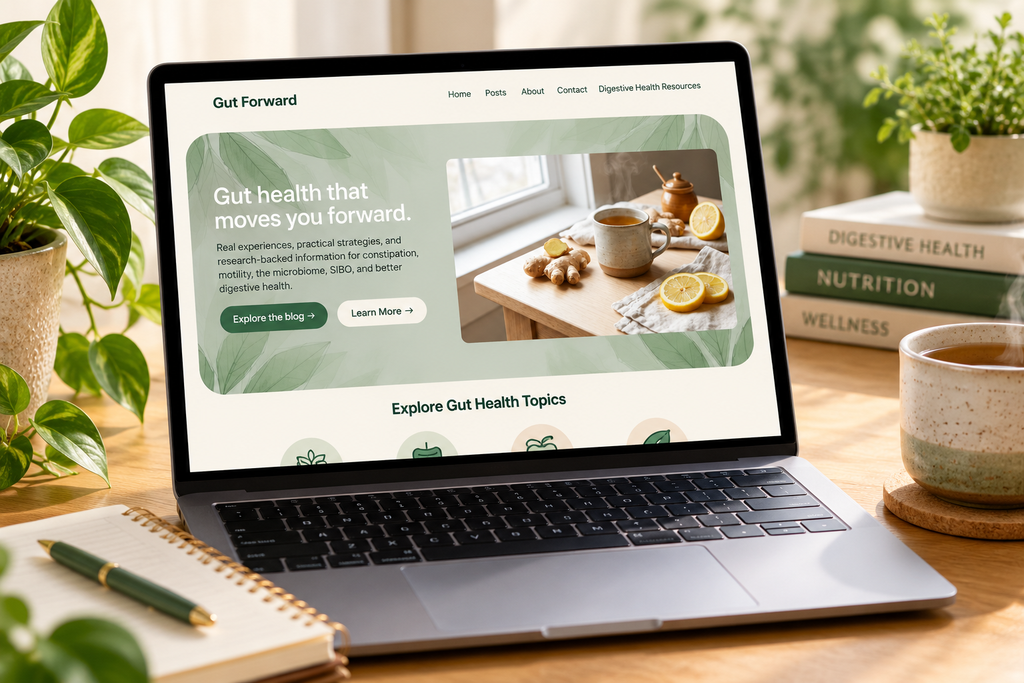
In addition to widgets, I customized several features of Gut Forward:
- Navigation: Created a primary menu with links to Home, Posts, About, Contact, and digestive health resources.
- Background Image: Added a botanical background to create a natural, welcoming appearance.
- Colors: Experimented with cream, green, and neutral tones to create a professional design.
- Homepage Layout: Used columns to position text beside a natural-herbal related image.
- Buttons: Added links to help visitors explore the blog and learn more about the website.
- Site Icon: Added an icon to help establish the website’s identity.
I selected these features to improve the website’s appearance, organization, and usability.
While I like some aspects of my current design, I eventually want a more lively color scheme with brighter accents and less emphasis on black or very dark colors. I also plan to update the images and graphics to better reflect the professional, inclusive health education website I envision.
Challenges with WordPress
One of my biggest challenges has been following instructions that do not match the current version of WordPress. Some textbook examples and online tutorials show menus or settings that have changed or are no longer available in the same locations.
These differences made tasks such as adding widgets, arranging blocks, and customizing the theme more difficult than expected.
However, I am beginning to understand the terminology and general principles behind WordPress. As I become more familiar with the platform, I believe I will be able to navigate updates more confidently.
I still have a lot to learn, and I recognize that creating the website I envision will take additional practice and experimentation.
Benefits of Scheduling Website Design Changes
There are several advantages to planning website updates:
- Consistency: Scheduled changes help maintain a professional appearance and prevent frequent, unnecessary design adjustments.
- Better User Experience: Regular reviews provide opportunities to improve navigation, accessibility, mobile responsiveness, and functionality.
- Future Growth: Planned updates allow the website to evolve as new educational materials, research reviews, and services are introduced.
Final Thoughts
Customizing Gut Forward has been challenging but educational. Although I have made progress, I am still exploring which theme and design features will best support my long-term goals.
I want Gut Forward to become a trusted resource that combines personal experiences, practical strategies, and research-based digestive health education.
As my skills improve, I look forward to creating a more polished, engaging, and functional website.